





























unite-pro-for-macos
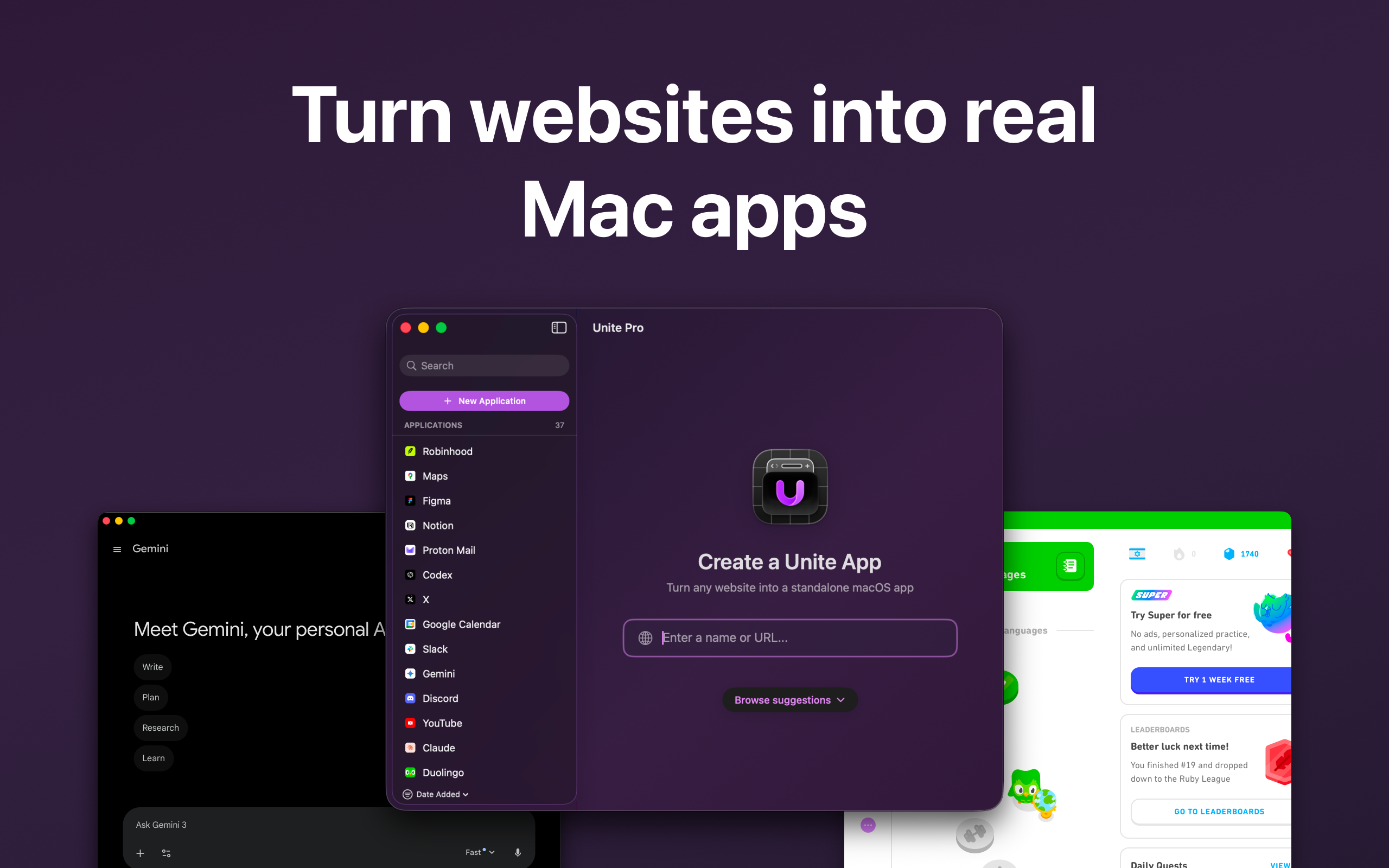
Turn websites into Mac apps
Your Browser Tab Deserves Better. Unite Pro Thinks It Knows How.
The Macro: The Mac App Store Can’t Save You, So Someone Else Is Trying
Here’s the thing about the Mac user base in 2025: it’s bigger than it’s been in years, and it’s increasingly professional. Mac sales grew roughly 5.9% annually from 2024 to 2025, according to Apple World Today, and Apple moved 3.2 million Macs in a single quarter for nearly 18% PC market share. These are not hobbyist numbers. These are people who bought expensive machines because they care about their workflow.
And yet a huge chunk of the software those users rely on every day, Notion, Linear, Figma, Superhuman, whatever your stack is, exists as a web app first and a native app second, or sometimes not at all. The Mac App Store has never really solved this. Apple’s own Shortcuts ecosystem is too fiddly for most people. Chrome’s “Create Shortcut” feature, which technically does something adjacent to this, is a joke with a title bar.
Which, look. The idea of wrapping websites into native-feeling desktop apps is not new. Fluid App did a version of this years ago. Coherence X went deeper. Franz and Station tried to solve the multi-service angle. There are browser extensions, there are paid utilities, there’s a whole quiet genre of Mac productivity tools chasing this exact problem.
What’s changed is the context. macOS Tahoe is coming, Apple Silicon is now the default, and users who left Arc and never fully replaced it are actively looking for tools that give them more control over how web-based software lives on their desktop. The demand is real. The question is always execution.
A 12% annual Mac sales growth number means the potential audience is genuinely expanding. That’s not nothing.
The Micro: Three Modes, One Website, More Control Than You’d Expect
Unite Pro’s core pitch is straightforward. You take a URL, you give it a name, and Unite wraps it into a standalone Mac app that lives in your dock, your menu bar, or as a sidebar. That’s the 30-second version.
The more interesting version is everything underneath that. The app runs on macOS 15 or higher and is designed specifically for macOS 26 Tahoe, which tells you the team is targeting forward compatibility, not legacy support. It works on both Apple Silicon and Intel, so it’s not cutting off anyone still on older hardware.
The three display modes are genuinely different use cases, not just cosmetic options. Window mode gives you a full app experience with its own spot in the dock. Sidebar mode is for things you want accessible but not front-and-center, like a notes tool or a calendar you glance at. Menu Bar mode is for utilities you want always a click away without cluttering your workspace. I’ve seen other tools, including some menu bar utilities I’ve covered before, try to build multi-mode flexibility and usually one of the modes feels like an afterthought. Whether all three feel fully baked here I’d want to spend more time with.
The feature that actually interests me most is link routing. You can tell Unite to open specific links from inside an app in a different browser or application entirely. That’s a real workflow fix, not a demo feature.
There’s also Website Controls for removing distractions, native dock badges, meeting alerts, AI overlays, and live Dock Monitor previews. The AI overlays in particular are vague enough in the marketing that I’d want to know exactly what that means before I trusted it.
It got solid traction on launch day, which tracks. The Mac power user crowd knows what this category is and has opinions about it.
The pricing page exists but the specific tiers weren’t in the material I reviewed.
The Verdict
Unite Pro is a focused tool doing something real. The multi-mode display system is legitimately useful and link routing alone would get me to install this. I don’t think it’s overhyped exactly, it’s more that the category itself tends to produce tools that feel great in week one and quietly fall apart by week six when the websites you wrapped start doing weird things and the app doesn’t know how to handle it.
The Tahoe-forward positioning is smart. Betting on where the platform is going rather than where it’s been is how small Mac utilities build durable audiences. And there’s clearly a real user need here, the same itch that productivity-focused Mac tools keep scratching from different angles.
What I’d want to know at 30 days: how well does it handle login persistence, notifications, and sites that update their structure. At 60 days: is the AI overlay feature actually useful or is it a checkbox. At 90 days: are users keeping these apps in their dock or quietly deleting them.
If the fundamentals hold up under real daily use, this is a genuine buy for anyone who runs more than three web apps as part of their daily workflow. That’s more people than you’d think.