
















ai-doc-writer-by-trupeer
Create finished, on-brand docs from simple recordings.
Your Screen Recordings Are Rotting in a Folder Somewhere — Trupeer Wants to Fix That
The Macro: Nobody Wants to Write the Docs, and the Market Knows It
Here’s the thing about documentation: everyone agrees it’s important, it perpetually doesn’t get done, and the tooling hasn’t meaningfully changed the incentive structure in decades. Confluence exists. Notion exists. They’re good at storing docs. They’re useless at producing them.
The browser extension angle here is worth noting because the numbers are genuinely interesting — though they vary enough between sources to stay cautious. The AI Chrome extension market was valued somewhere around $3.8 billion in 2024, with projections ranging from $21.6 billion by 2032 (per one LinkedIn-cited report) to a more conservative 13.1% CAGR through 2035. Chrome itself sits at roughly 64.86% global browser market share as of 2025. The distribution math isn’t complicated: if your tool lives in Chrome and Chrome is basically the default computing surface for knowledge workers, your addressable surface is enormous.
The competitors in this space break into a few camps. Screen-to-doc tools like Scribe and Guidde have been doing some version of this — record a workflow, get a structured guide. Loom is adjacent but stays in video. Notion AI and Confluence’s AI layers help you write docs from scratch but don’t do anything with your screen recordings. The specific gap Trupeer is targeting — take an imperfect, old, or informal recording and turn it into a finished, on-brand document — is real, and it’s notably underserved by the more established players, who mostly assume you’ll start from a clean slate.
The “why now” is pretty straightforwardly vision models becoming capable enough to analyze screen content rather than just transcribe audio. That capability jump is recent, and it’s what makes the recording-to-doc pipeline plausible in a way it wasn’t two years ago.
The Micro: What It Actually Does When You Hit Record
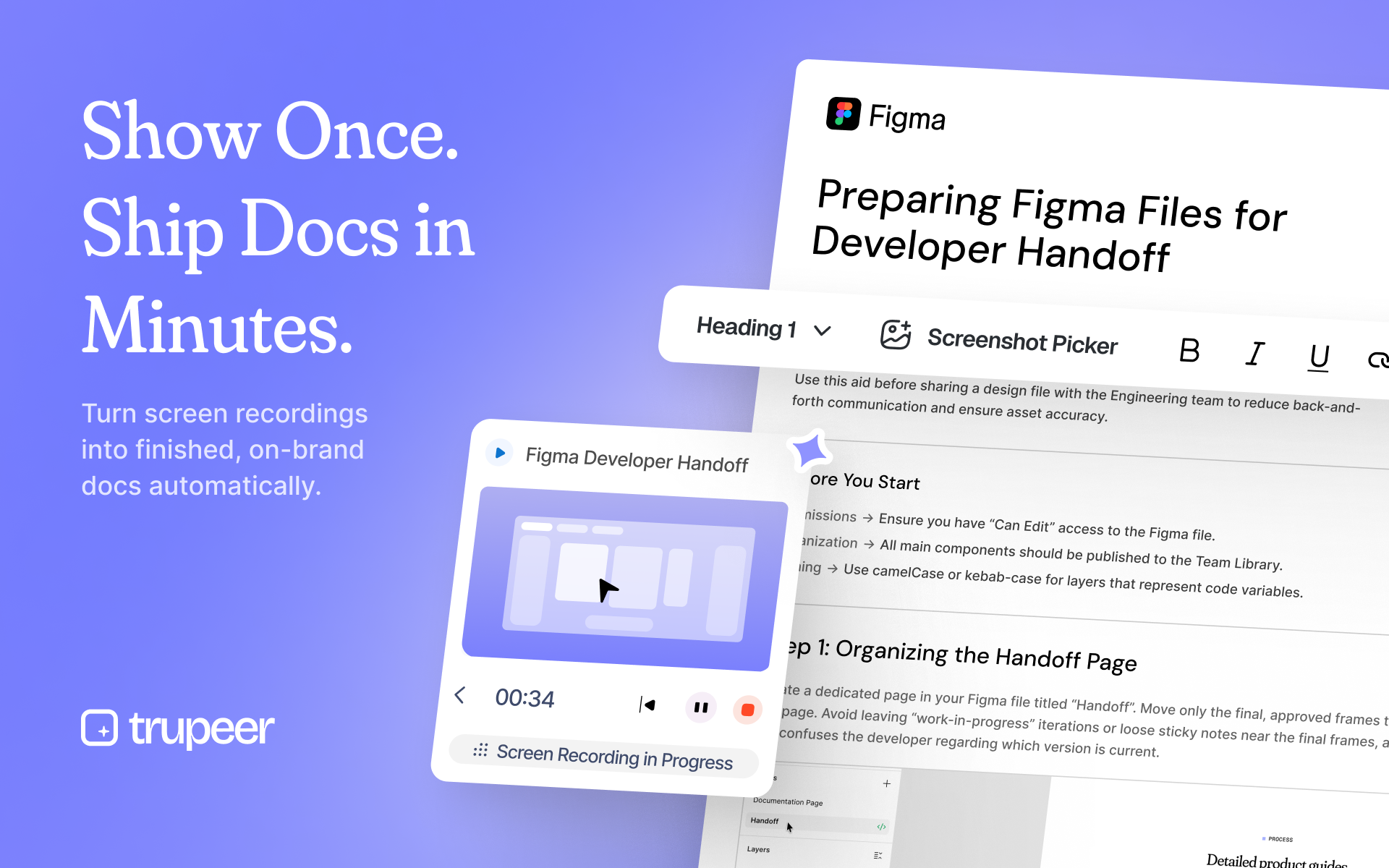
The core loop is: you upload a recording (screen walkthrough, Zoom call, internal demo — apparently even old or messy ones), Trupeer’s vision-based analysis figures out what’s on screen, identifies the actions that actually matter, and produces a structured document with a summary, numbered steps, and relevant screenshots. That last part — screenshots extracted from the recording and placed contextually — is doing more work than it sounds like. Anyone who’s written process docs manually knows that the screenshot-capture-and-annotate step is where the time goes.
The brand-matching feature is the other notable piece. You can upload a sample guide — your existing docs with your fonts, logos, tone, structure — and Trupeer learns from it, ostensibly applying that template to everything it generates. Whether this holds up at scale across wildly different document types is a real question (more on that in a second).
The vision-based analysis working on “imperfect or old recordings” is a specific claim worth paying attention to. Most screen-capture tools assume a clean, linear walkthrough. Real internal recordings are full of false starts, tangents, and bad audio. If Trupeer actually handles that gracefully, that’s a meaningful technical differentiator — not a trivial one.
Launch numbers: 265 upvotes, 40 comments, #6 daily rank on Product Hunt. That’s a solid launch — not a runaway viral hit, but well into “real user interest” territory rather than just the maker’s network showing up to be polite. Forty comments suggests actual engagement with the product rather than just upvote-and-bounce behavior, which is worth something.
It’s a Chrome extension, which means onboarding friction is low. Record in the browser, get a doc. The demo content on the product site shows Figma handoff guides and CRM onboarding flows — good choices for demonstrating variety without overcomplicating the pitch.
The Verdict
Trupeer is solving a problem that is genuinely painful and genuinely neglected, which is a reasonable place to start. The vision-based analysis angle is technically interesting and probably defensible in the short term — it’s not something you can replicate by bolting GPT-4 onto a screen recorder with duct tape.
What would make this work at 30 days: retention from the people who upvoted. Product Hunt launches convert initial curiosity into actual usage at rates that vary wildly. The brand-matching feature needs to hold up against real enterprise style guides — the demo examples are clean, but real company docs are chaotic.
At 60-90 days, the question becomes whether teams adopt this as infrastructure or use it once and forget it. Documentation tools live and die on habitual use. Scribe has survived by embedding itself into customer success and operations workflows. Trupeer needs a similar wedge — probably starting with technical writers and customer success teams who produce high volumes of how-to content.
What we’d want to know before fully endorsing it: accuracy rate on the “imperfect recordings” claim with actual messy input, and whether the brand-matching holds up on anything more complex than the demo examples. Those two things are load-bearing. If they work, this is genuinely interesting. If they’re soft, it’s a polished demo around a commodity workflow.